

Sonarr/Radarr
Sonarr and Radarr can fully integrate with Reaparr. Reaparr achieves this by pretending to be both a Torznab indexer and a qBittorrent download client, allowing it to configure itself directly inside Sonarr and Radarr as a media source.
How it works
- Reaparr registers itself in Sonarr/Radarr as a Torznab-compatible Indexer, returning fake torrent results for wanted media and a qBittorrent Download Client
- Sonarr/Radarr sends search requests to the Reaparr Indexer, those return torrents which are then send to the Reaparr Download Client, so it receives and processes the fake torrents itself.
- Reaparr handles the actual downloading and reports progress back to Sonarr/Radarr as if it were a normal qBittorrent instance.
- Sonarr/Radarr monitor download progress and import completed files to their target folders as usual.
- FUTURE FEATURE Reaparr can also provide an RSS feed, so Sonarr/Radarr automatically grab new or wanted releases once Plex servers get them.
Limitations
- The fake torrent files are not compatible with real torrent clients — only Reaparr can process them.
Setup
Go to the Reaparr settings and click on the "Integrations" tab. From there, you can add Sonarr and Radarr instances by providing their URLs and API keys.
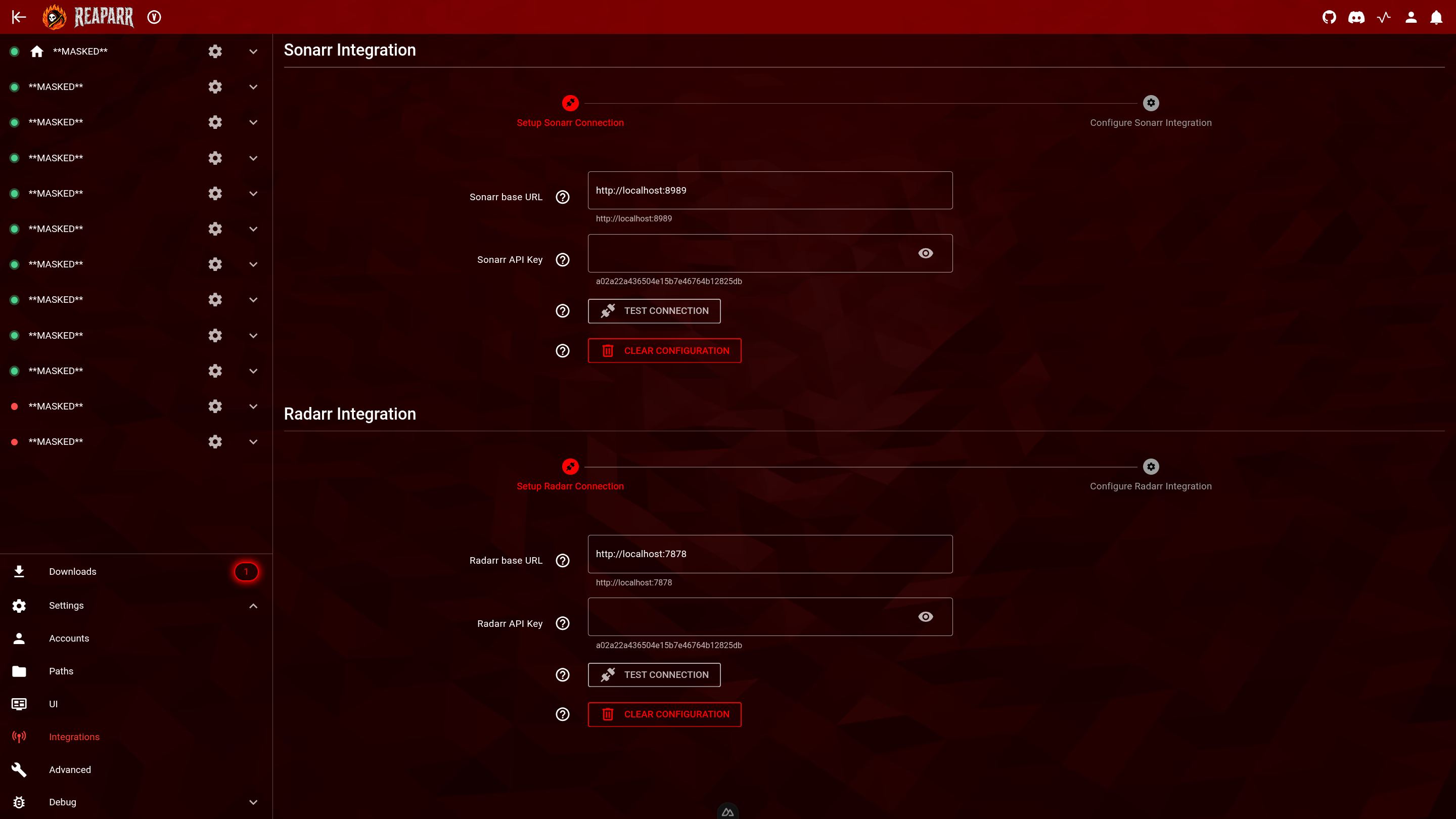
Reaparr will then configure itself in Sonarr/Radarr with a single click, making setup almost automatic.
Then you can search from within Sonarr/Radarr and see Reaparr results, which will be downloaded and imported as if you were using a normal torrent indexer and qBittorrent client.
More information
Future versions will extend this to Lidarr once music support is added.
Stream Downloader
Learn when and how to enable the stream downloader as a fallback to direct downloading in Reaparr.
Frequently Asked Questions
Find answers to common questions about Reaparr, including installation, Plex account setup, troubleshooting, and how to support the project. If you have a question that isn't answered here, please check the documentation or ask in the community.